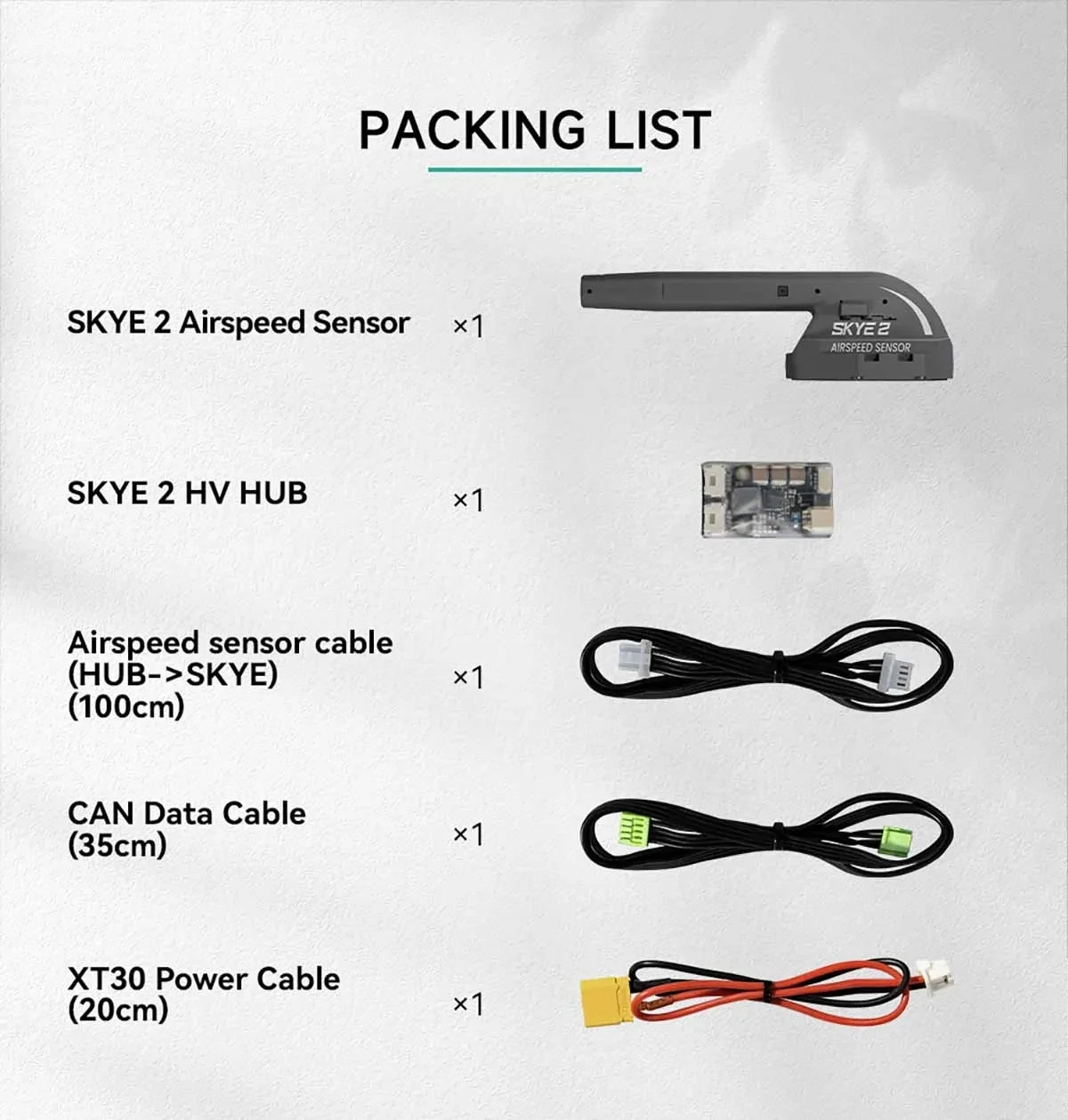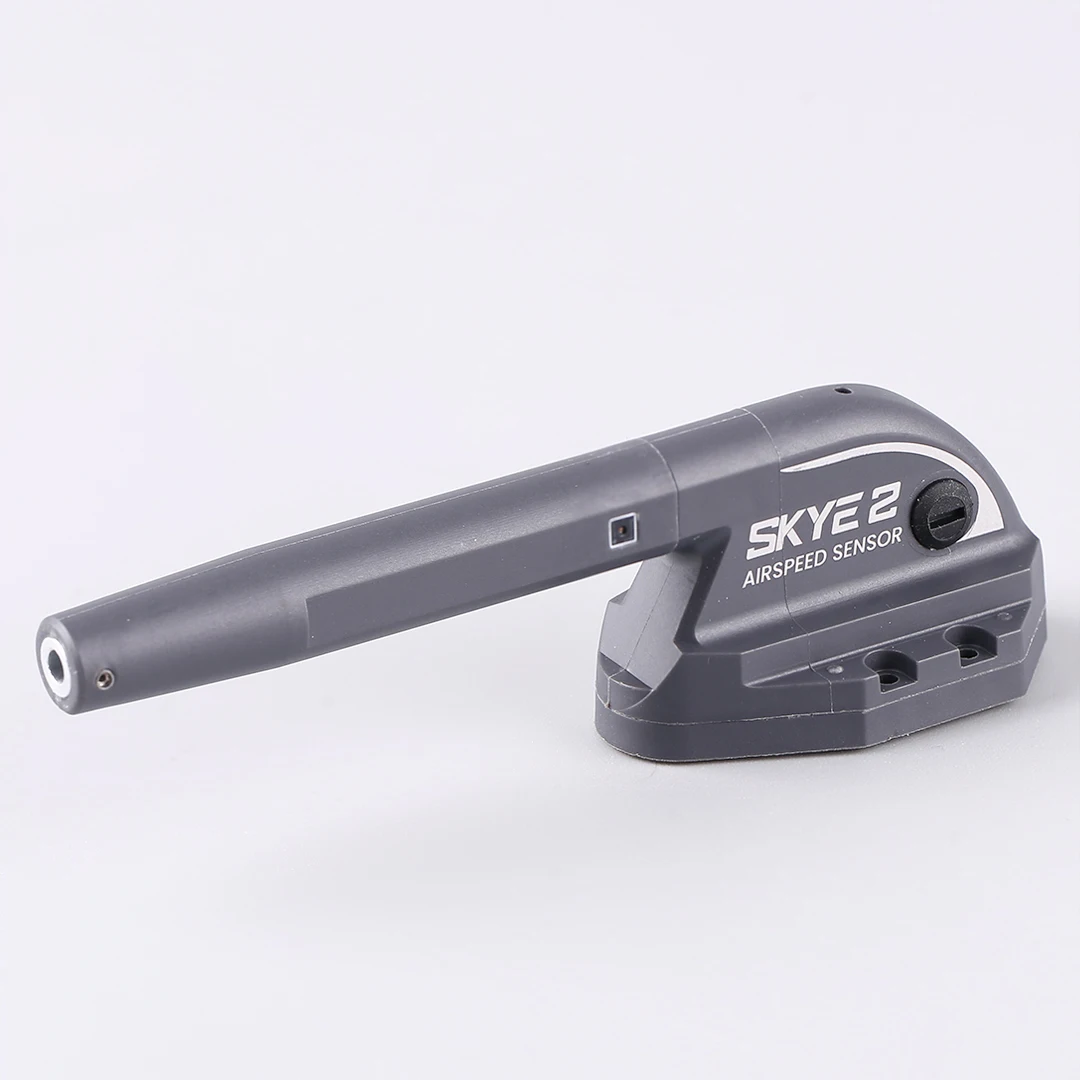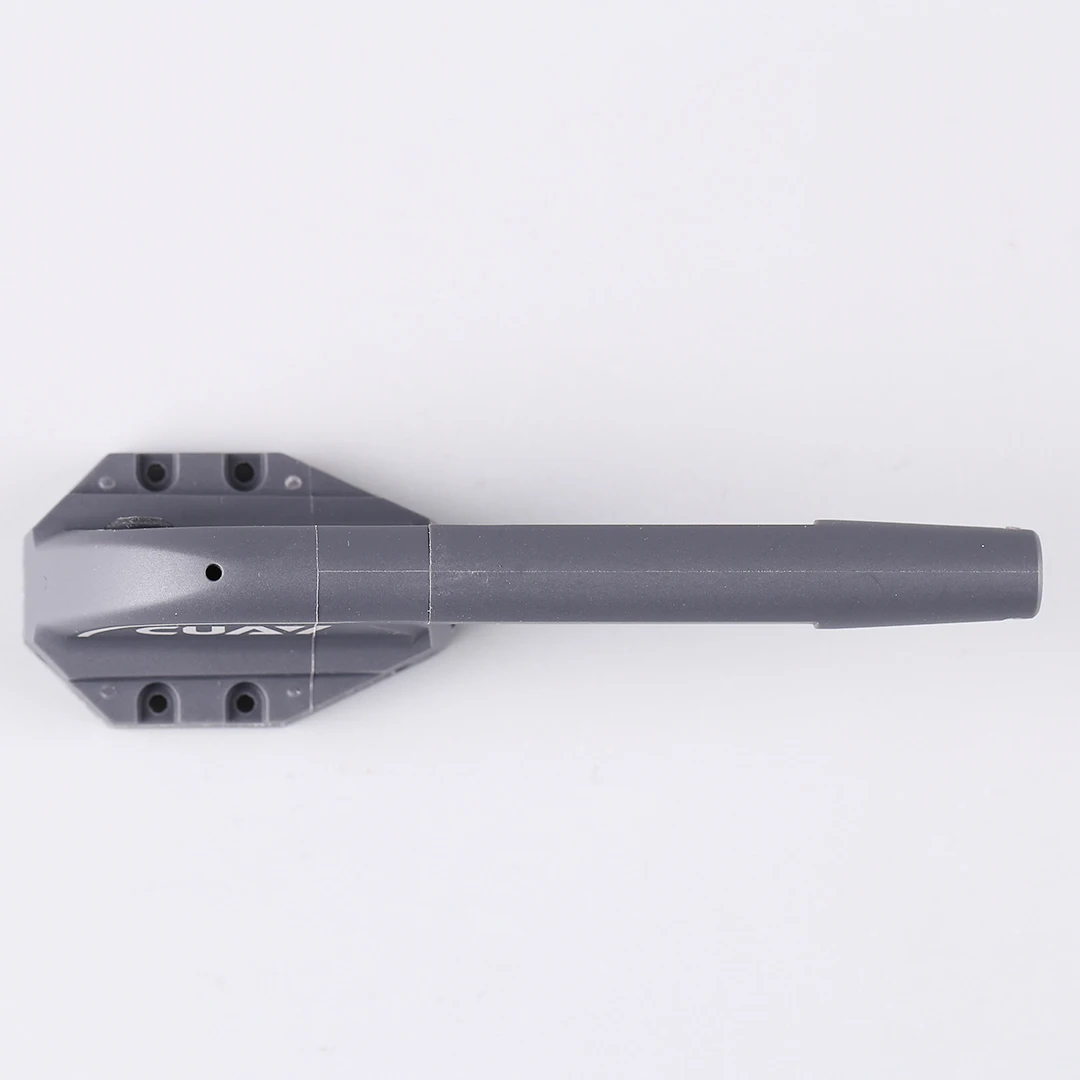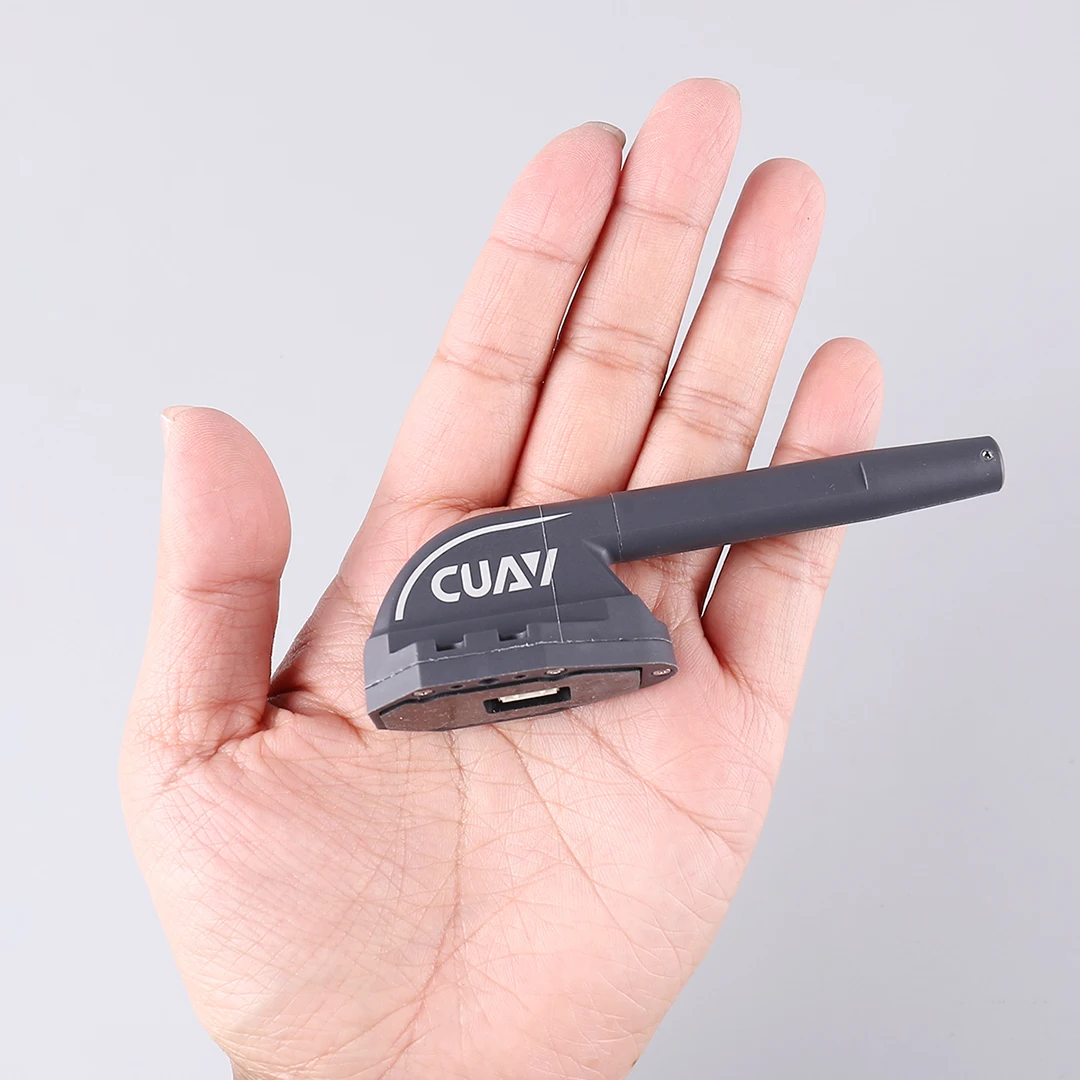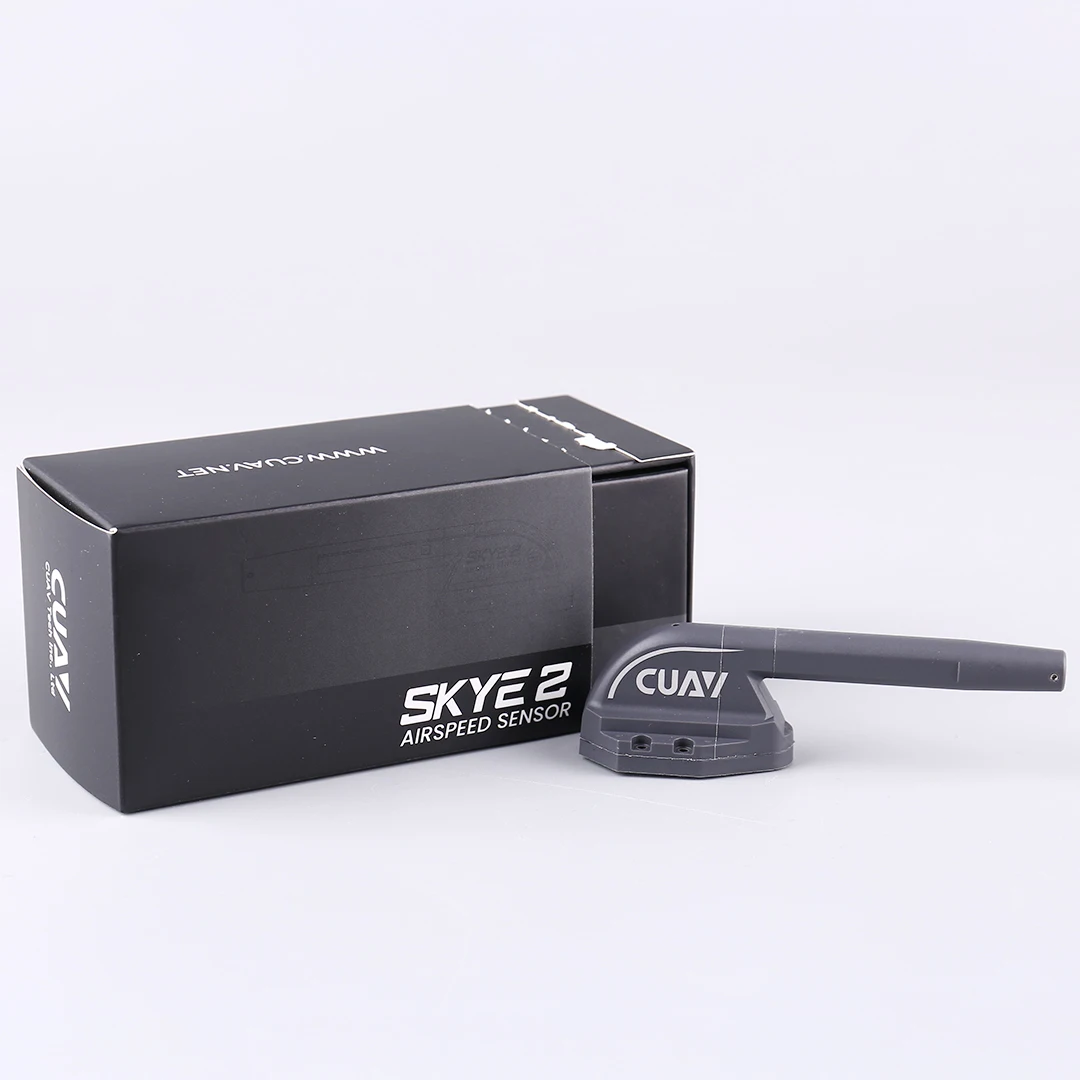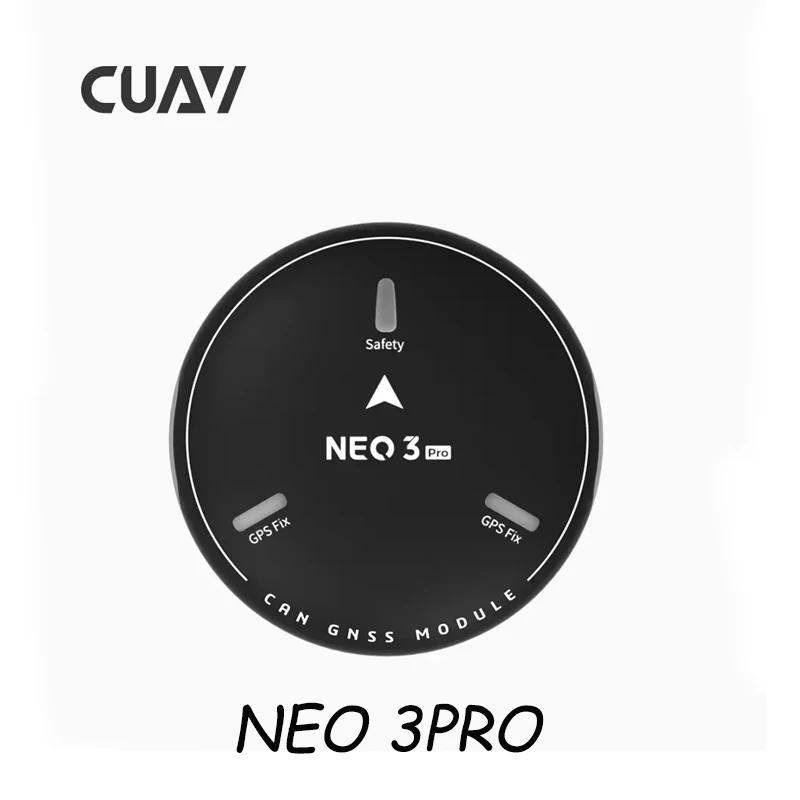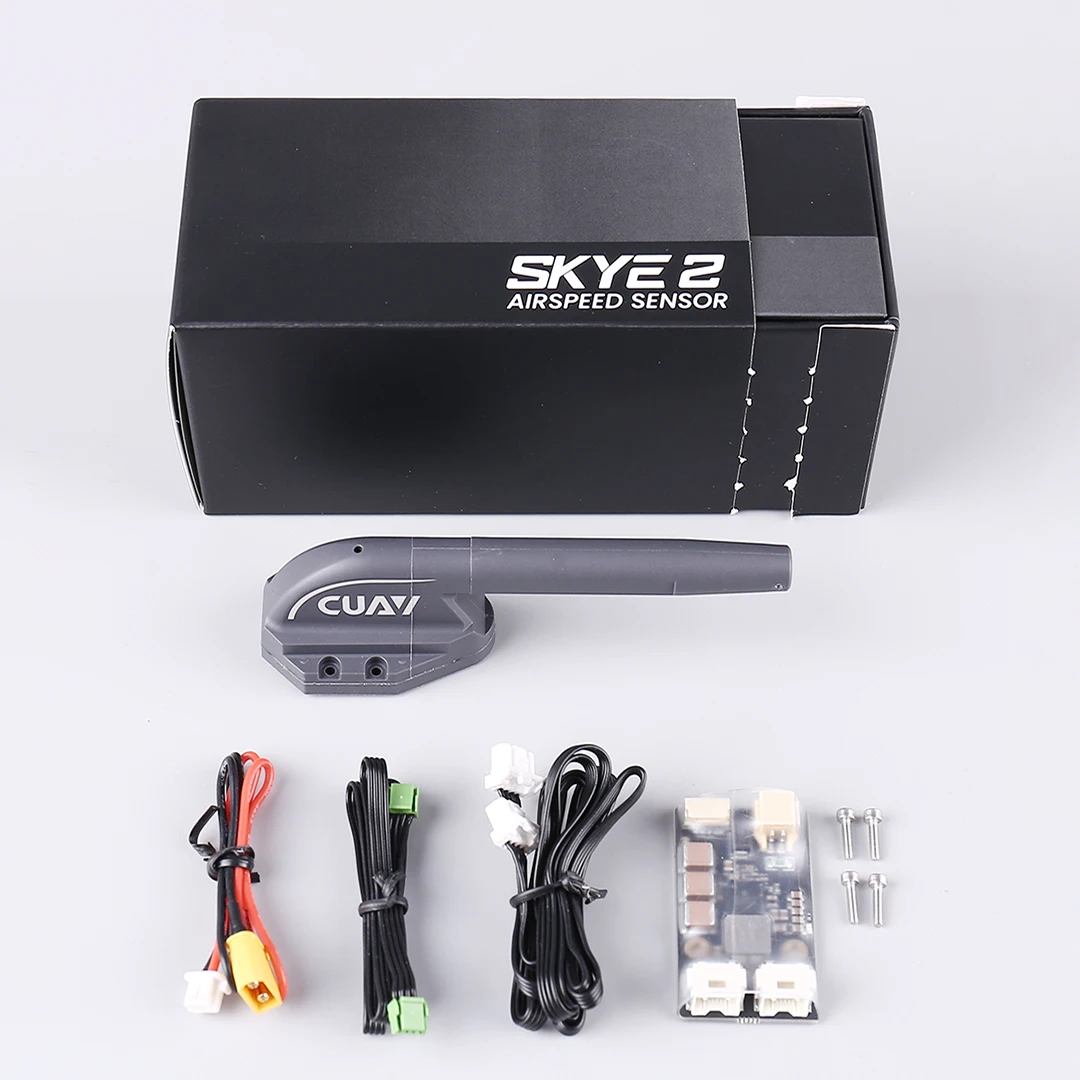
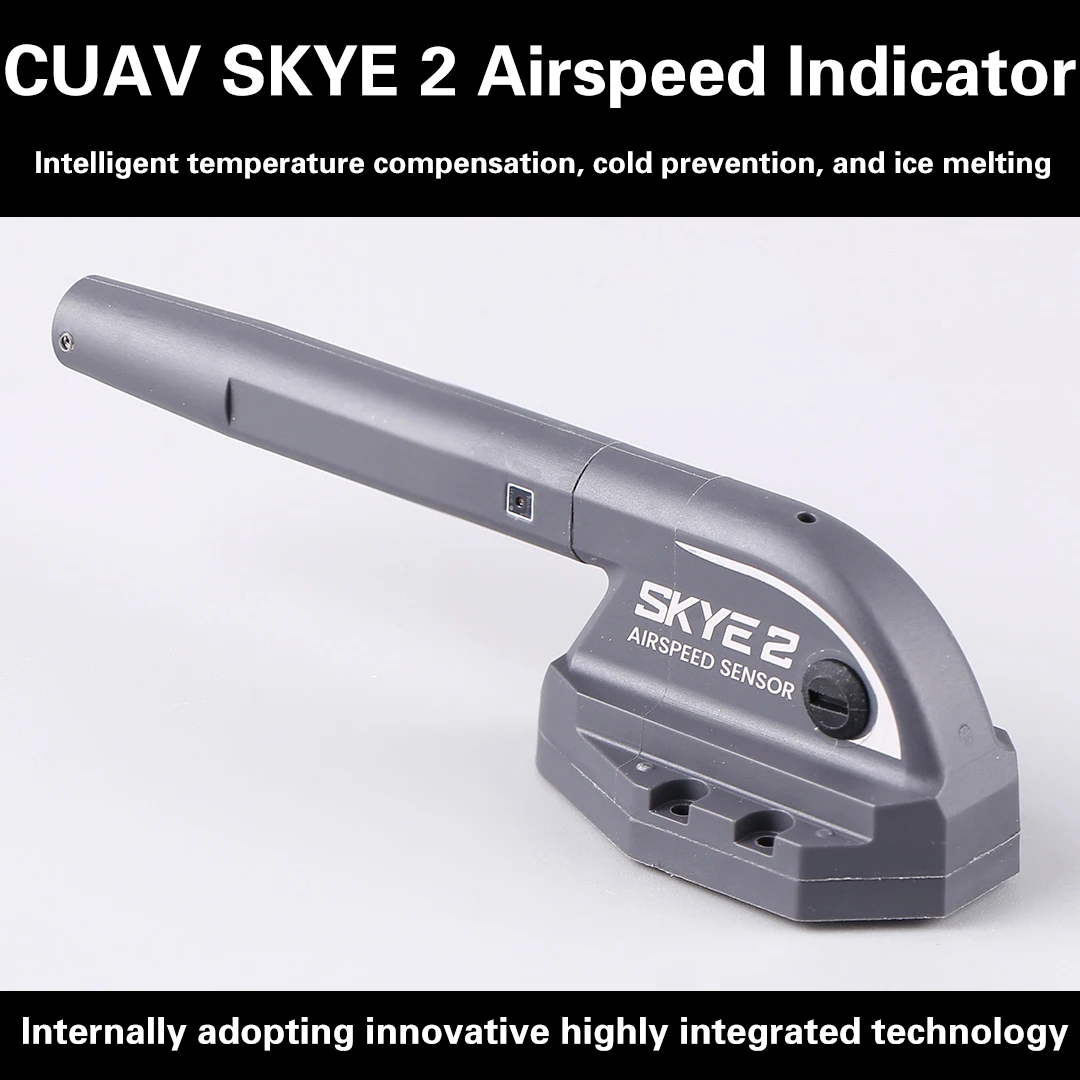
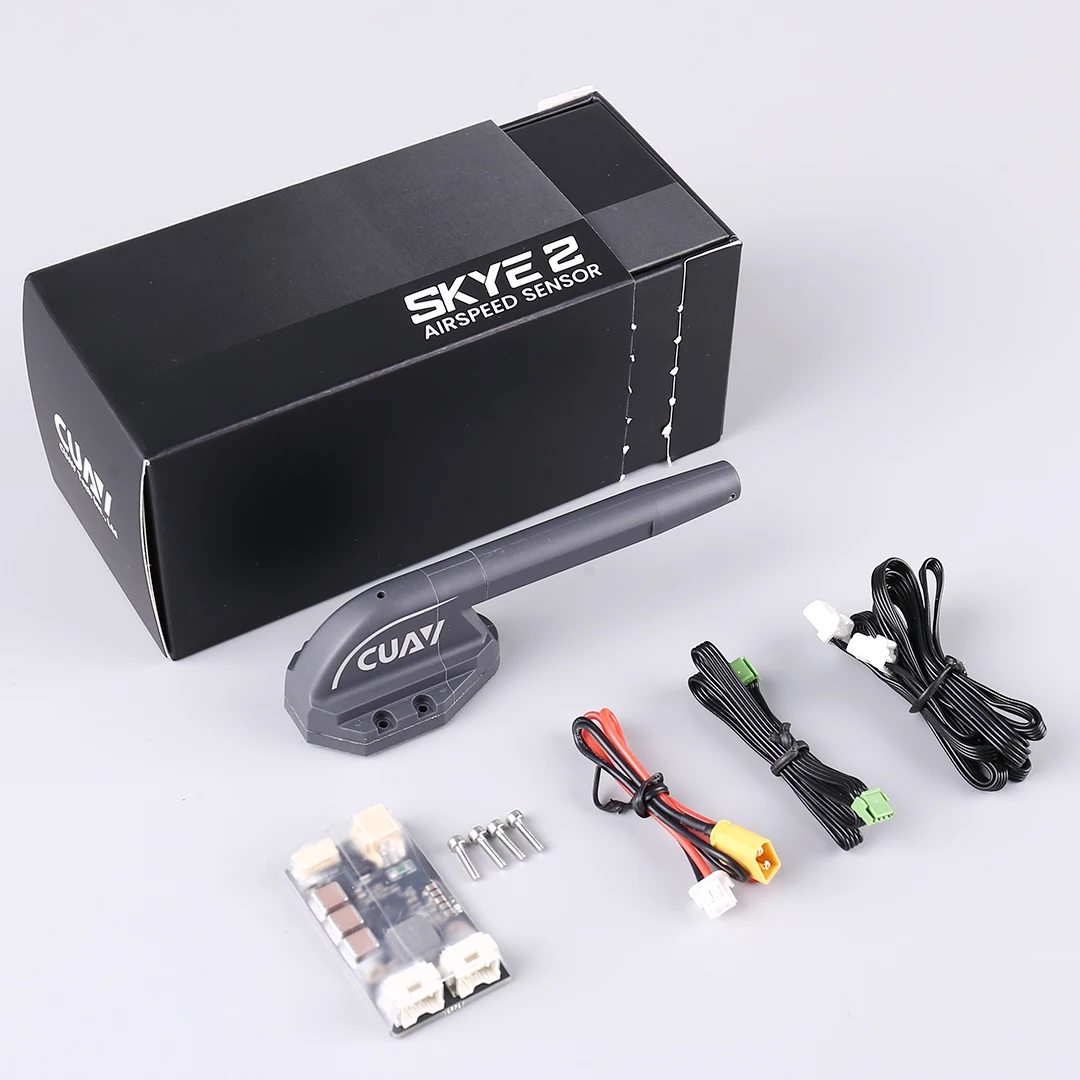
CUAV SKYE 2 Airspeed Sensor DroneCAN Protocol PX4 Flight Control Supports ArduPilot Newest Model
Description
Kind reminder:
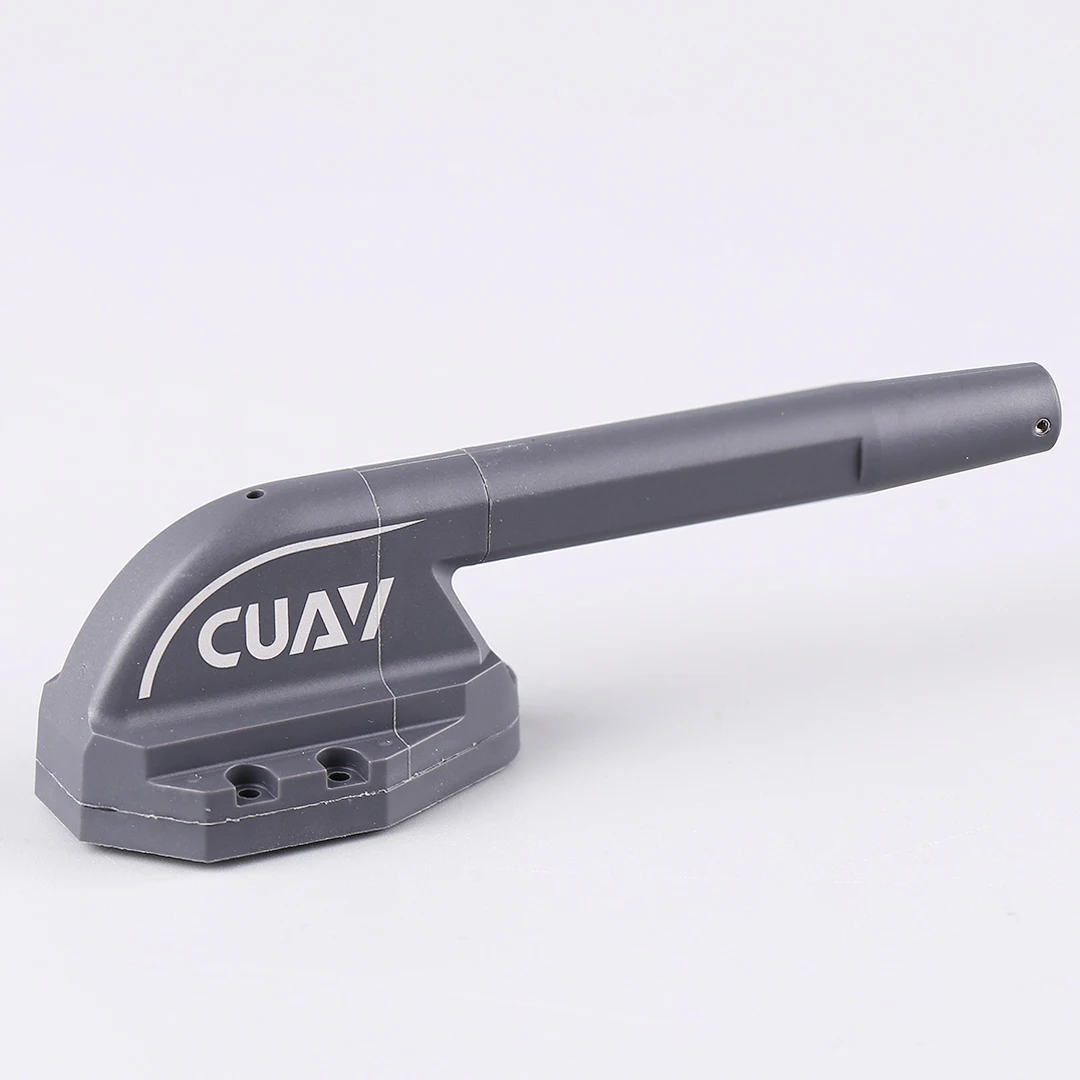
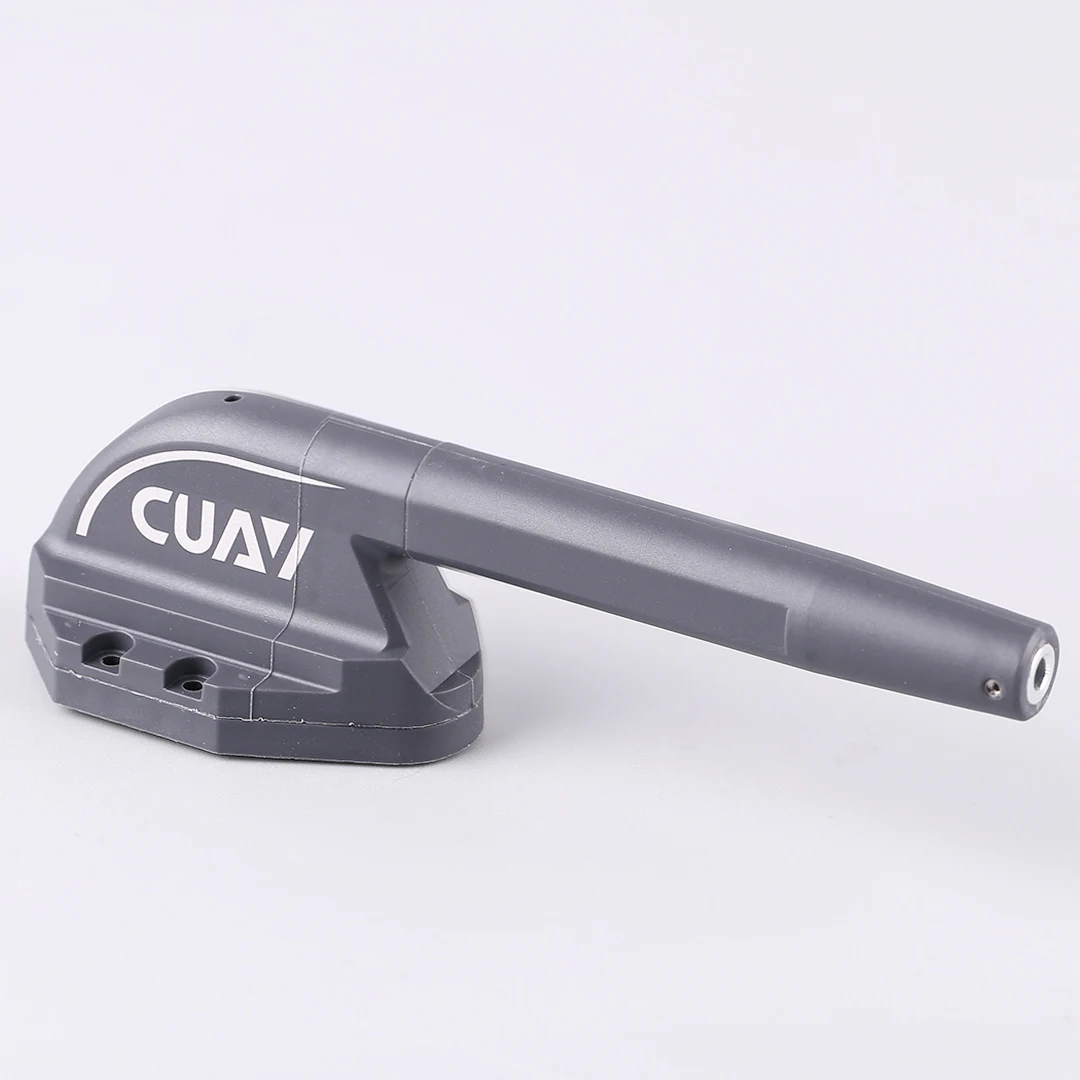
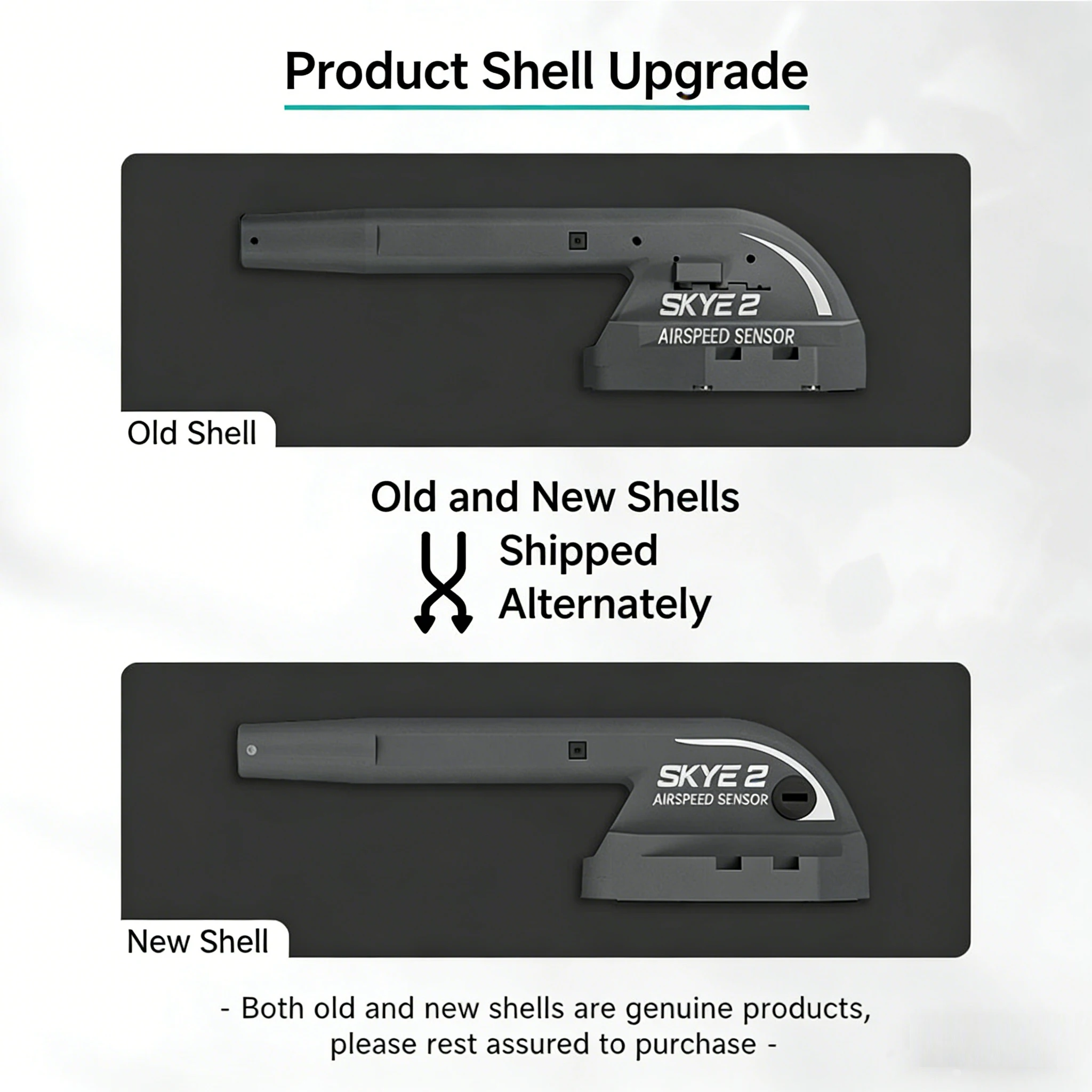
Dear customer, in order to enhance the quality of our products, we are gradually upgrading the product casing. During this transition period, both new and old versions will be shipped randomly. The two only differ in external details, with no difference in core functionality and quality. If you have specific requirements for the version, please place your order with caution. Thank you for your support and understanding!
Pin Definition
Hardware connection
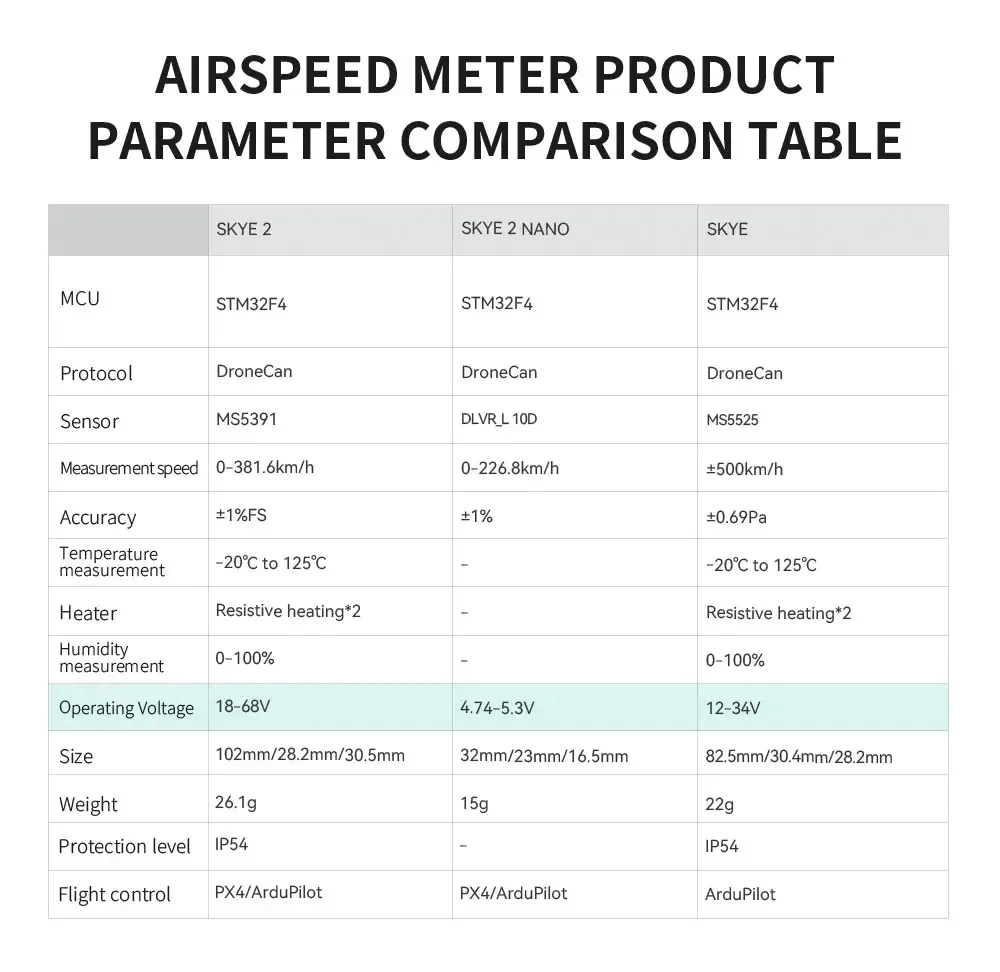
SKYE2 is not compatible with SKYE HUB, please choose to use SKYE2HV HUB.
Temperature and humidity data
Ardupilot firmware version 4.30 and above supports temperature and humidity meter data display:
Zero airspeed (calibrated airspeed offset)
When there is no wind and the airspeed display is greater than 33m/s, please reset the airspeed before takeoff
-Open the Mission planner software and connect to the flight controller
-Ensure that the current airspeed tube is in a windless environment
-Open Mission planner>Flight data>Action bar
-Select 'Preflight Calibration' 55 in the first checkbox; click the 'Execute Action' button on the right
check
Before flying, please connect to the ground station to check if there is no wind and ensure that the airspeed value jumps within the range of 0-3m/s (if it exceeds the range, please reset the airspeed to zero)
Hold the airspeed tube with your hand, blow air into the airspeed tube, and check if the airspeed value can change according to the airflow velocity, indicating that the inspection is complete.
Airspeed calibration
Different installations and individual airspeed ratios may vary, and airspeed calibration is required during the first flight; Set the flight controller parameter ARSPDAUTOCAL to 1 to enable automatic calibration execution (choose one of the following two methods)
- Take off in QStabolize or QLoiter multi axis mode and switch to FBWA (self stabilizing A mode) to control the drone to fly and hover for about 5 circles. After the ground station message bar prompts calibration completion, execute the landing. If you do not know how to fly in FBWA mode, you can use the method of enabling airspeed indicator but not using airspeed indicator to fly (ARSPDUSE=1:: ARSPD-T)
YPE=8; Do not perform this operation in environments with high wind speeds; The aircraft will fly at ground speed (relative ground speed), and after takeoff, it will hover around 5 times in Loiter mode. The ground station message bar will indicate that calibration is complete before landing.
Flight Controller: CUAV SKYE 2 Airspeed Sensor
Upgrade Parts/Accessories: Supports ArduPilot and PX4 Flight Control
RC Parts & Accs: Assemblage for Four-wheel Drive Attributes
Quantity: 1 Unit per Package
Recommend Age: Suitable for Users 14 Years and Above
Tool Supplies: Assembled Class Remote Controller
**Precision and Efficiency**
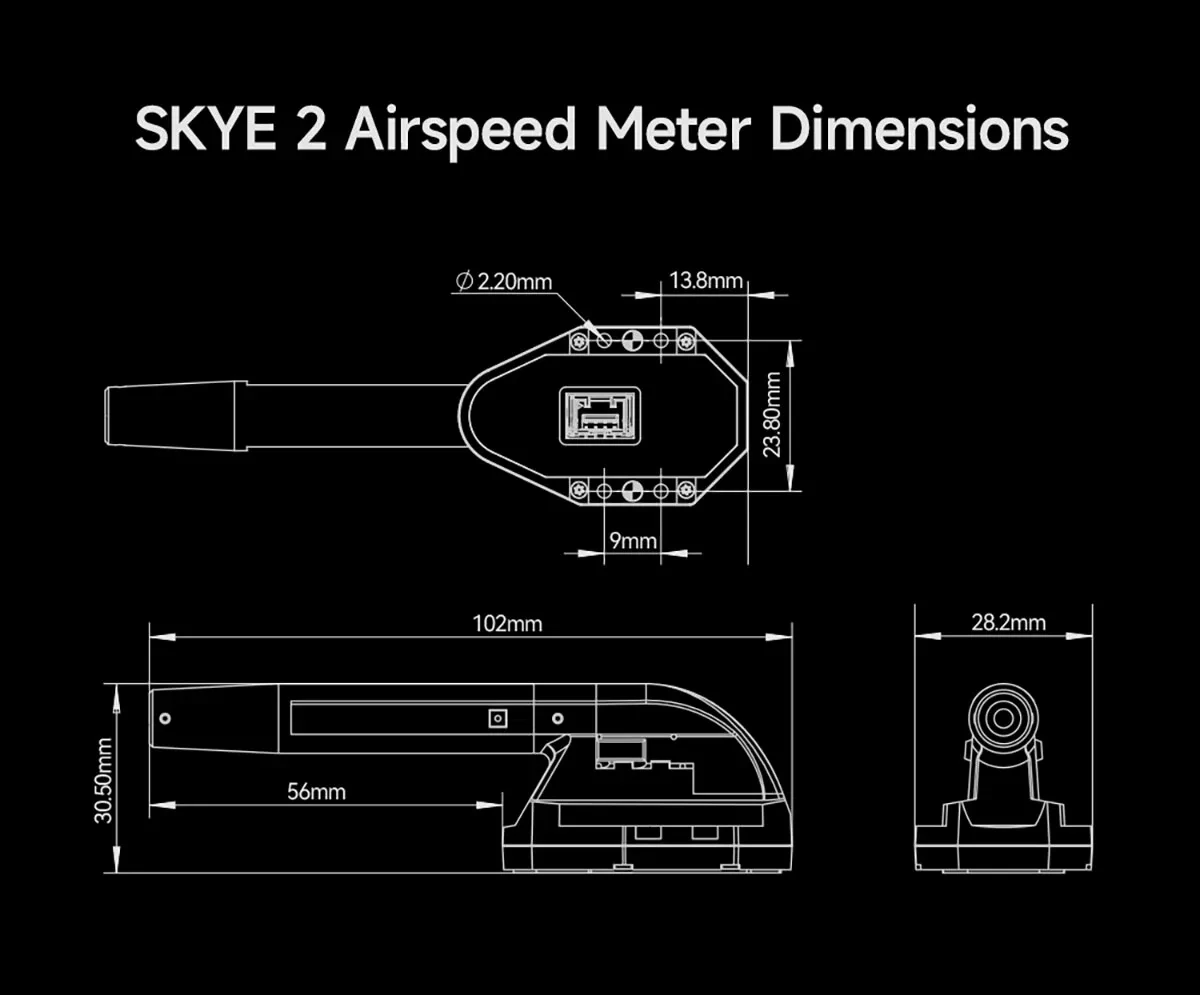
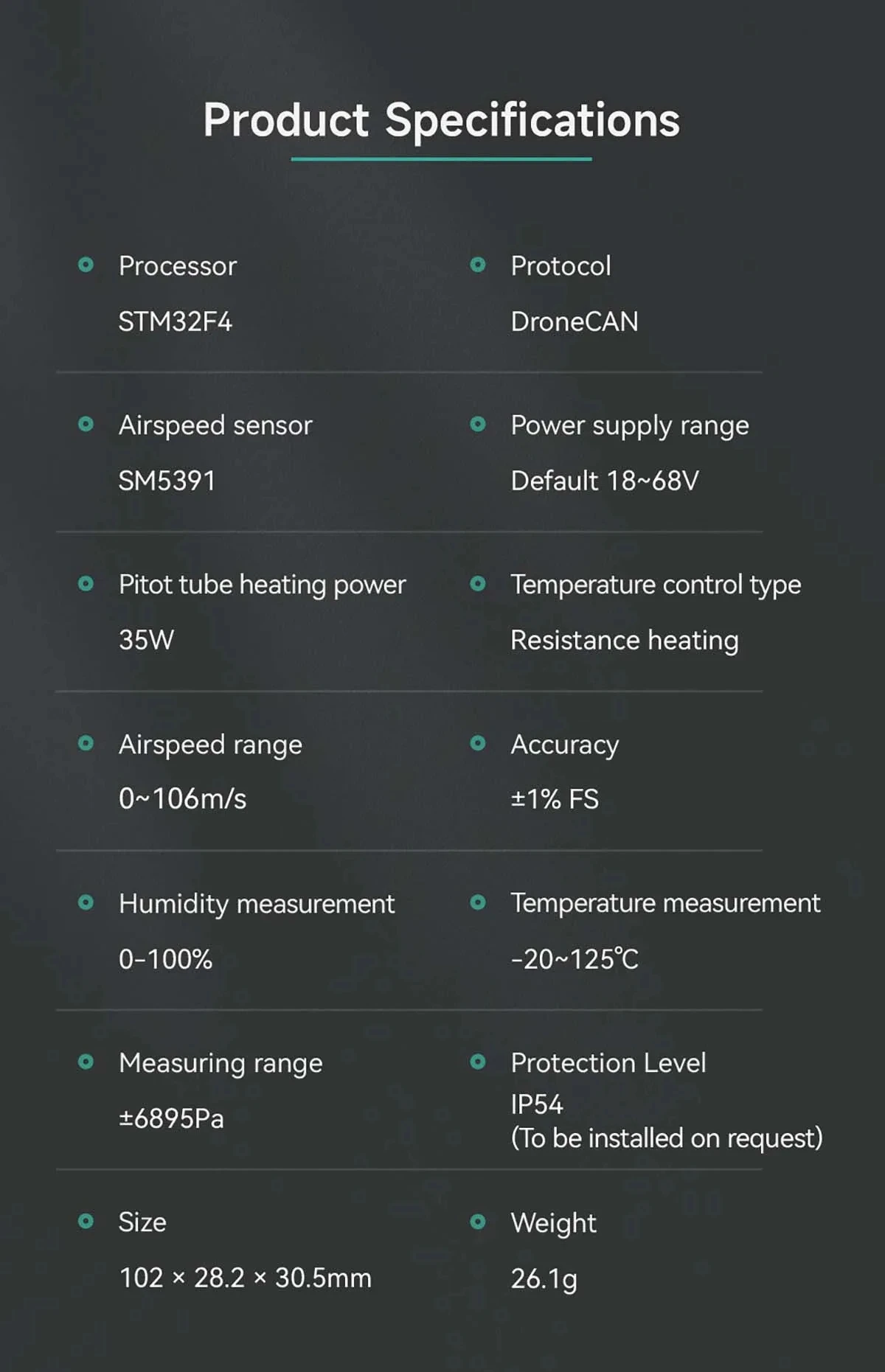
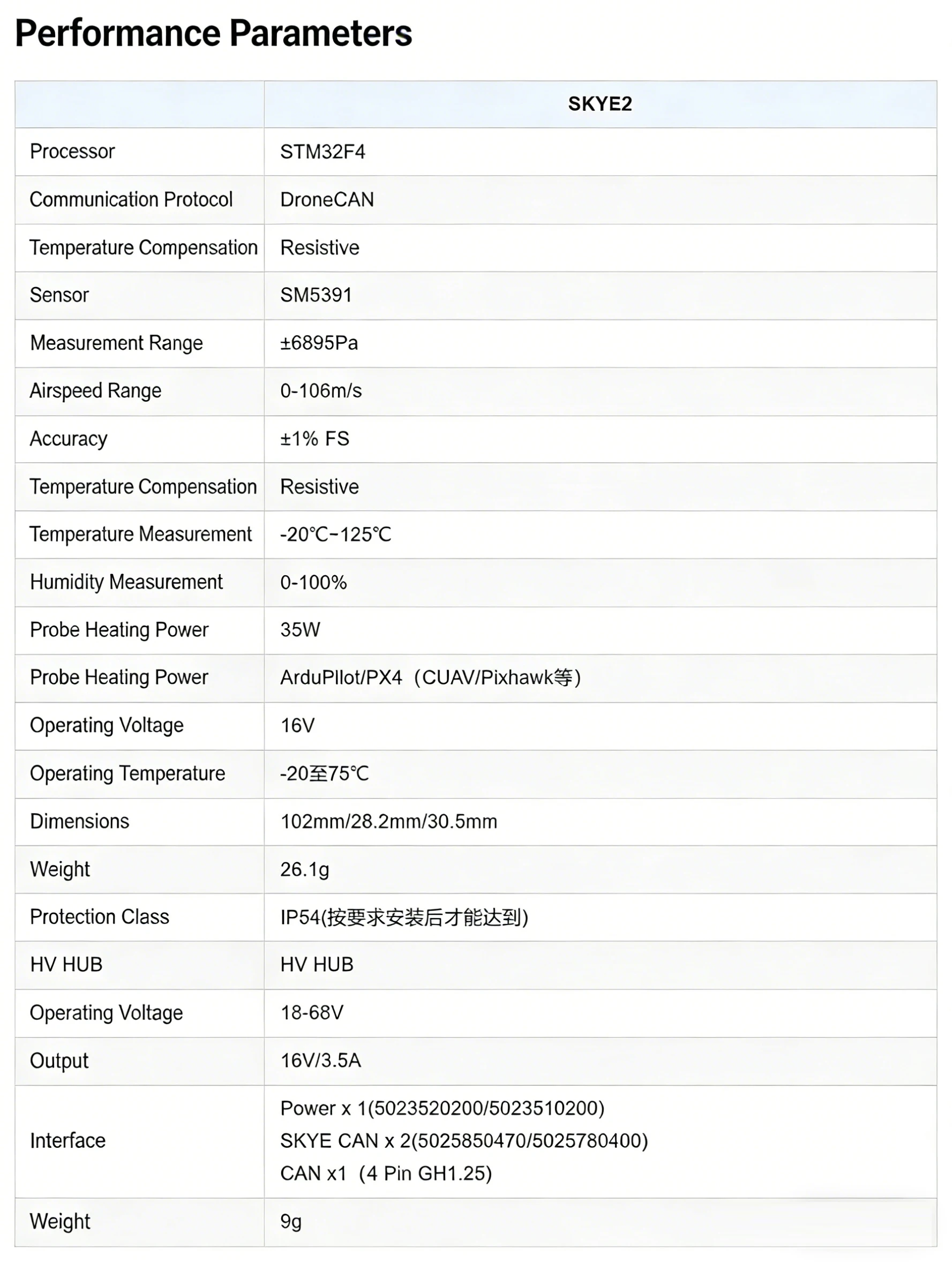
The CUAV SKYE 2 Airspeed Sensor is an essential component for drone enthusiasts and professionals seeking to enhance their aerial experience. This precision-engineered device features a 3db bandwidth, specifically designed for the SKYE 2 drone, ensuring accurate airspeed readings for optimal flight control. Its compatibility with ArduPilot and PX4 flight control systems further solidifies its role as a versatile upgrade part. Whether you're assembling a four-wheel drive drone or upgrading your existing setup, the SKYE 2 Airspeed Sensor is your go-to accessory for precision and efficiency.
**Durable and Reliable**
Constructed with a focus on durability and reliability, the SKYE 2 Airspeed Sensor is crafted from high-quality composite materials, ensuring it can withstand the rigors of aerial adventures. Its absence of 105°C evaporated materials guarantees a safe and long-lasting performance. The sensor is designed for both hobbyists and professionals, making it an ideal choice for users aged 14 and above. With the SKYE 2 Airspeed Sensor, you can trust in its performance, knowing that it's been rigorously tested and built to last.
**Ease of Use and Integration**
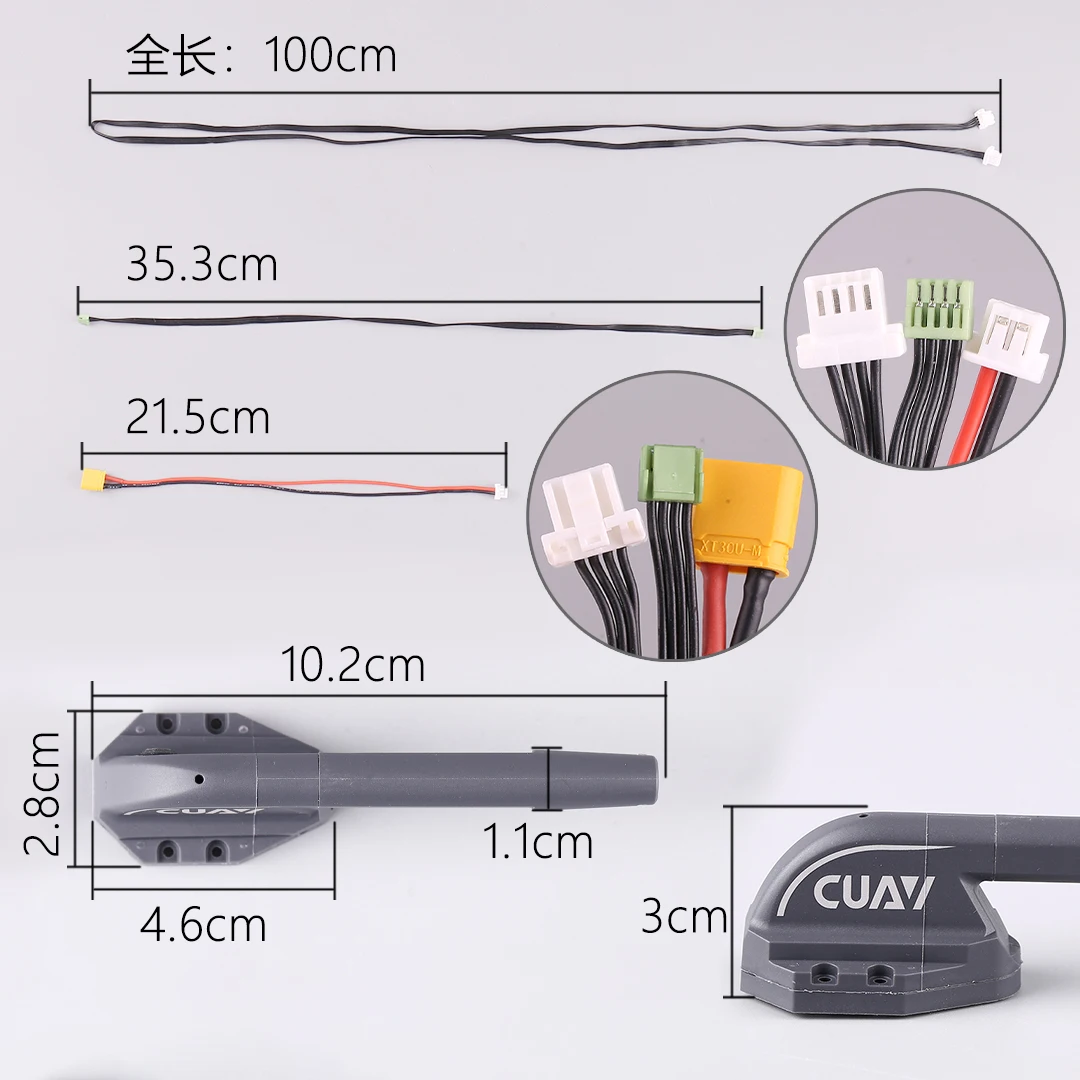
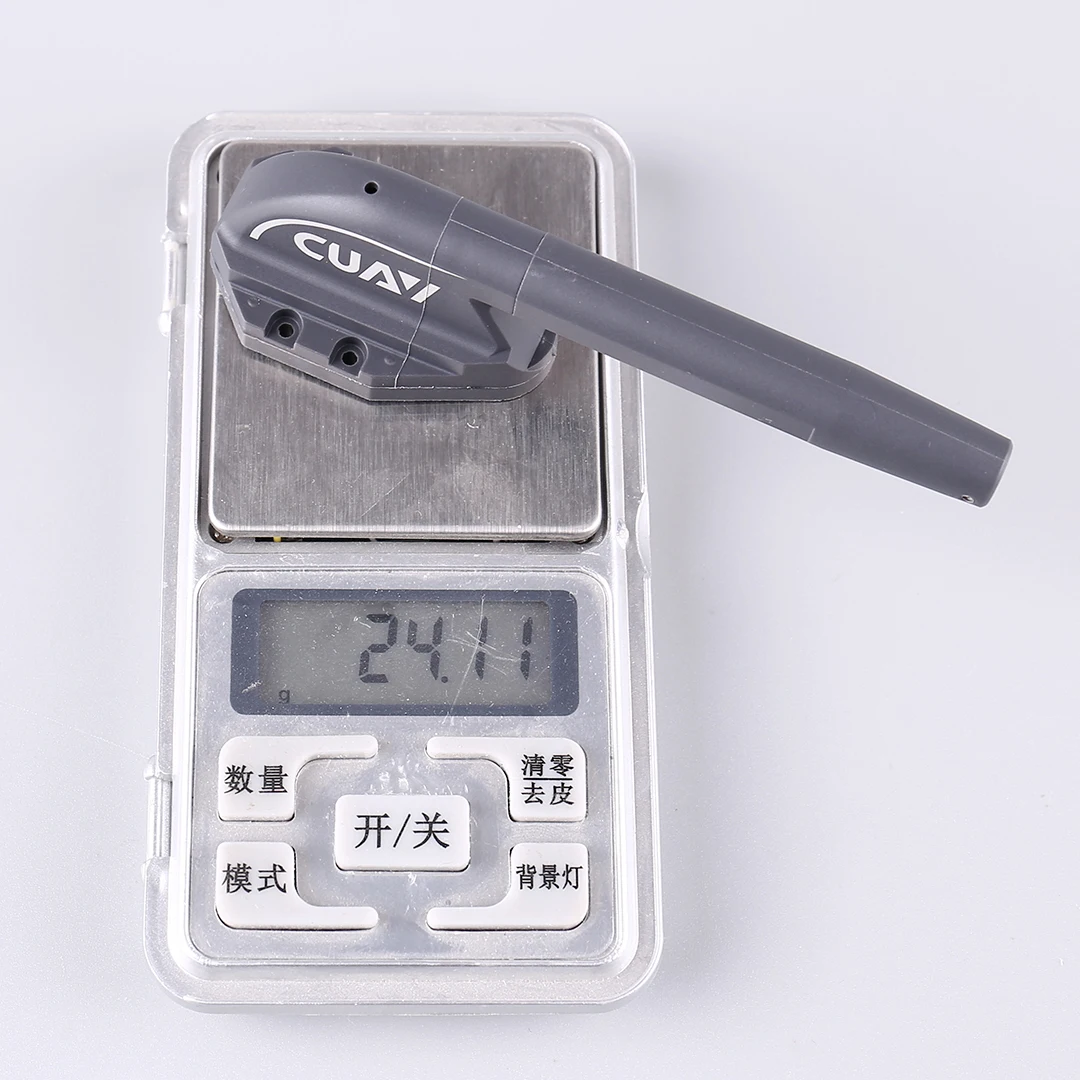
The SKYE 2 Airspeed Sensor is engineered for ease of use and seamless integration with your drone setup. Its remote controller is assembled class, ensuring it's ready to use right out of the box. With no batteries included, you can easily power it through your drone's existing system, providing a hassle-free setup. The sensor's lightweight design and compact size make it an unobtrusive addition to your craft, allowing for uninterrupted flight and precise control. Whether you're a seasoned drone pilot or new to the hobby, the SKYE 2 Airspeed Sensor is the perfect tool to enhance your flying
Specifications
| Option | Values |
|---|---|
| High-concerned chemical |
|
| Is Electric |
|
| Quantity |
|
| Is it battery/power supply |
|
| Is it charger/adapter |
|
| Is Batteries Included |
|
| Model Number |
|
| For Vehicle Type |
|
| Tool Supplies |
|
| Four-wheel Drive Attributes |
|
| Remote Control Peripherals/Devices |
|
| Material |
|
| Brand Name |
|
| Origin |
|
| Recommend Age |
|
| Use |
|
| Attribute | Value |
|---|---|
| High-concerned chemical | None |
| Is Electric | No Battery |
| Quantity | 1 pcs |
| Is it battery/power supply | N |
| Is it charger/adapter | N |
| Is Batteries Included | No |
| Model Number | SKYE2 |
| For Vehicle Type | Airplanes |
| Tool Supplies | Assembled class |
| Four-wheel Drive Attributes | Assemblage |
| Remote Control Peripherals/Devices | Battery Charging Units |
| Material | Composite Material |
| Brand Name | Mayatech |
| Origin | Mainland China |
| Recommend Age | 14+y |
| Use | Vehicles & Remote Control Toys |
Product Details
Kind reminder:
Dear customer, in order to enhance the quality of our products, we are gradually upgrading the product casing. During this transition period, both new and old versions will be shipped randomly. The two only differ in external details, with no difference in core functionality and quality. If you have specific requirements for the version, please place your order with caution. Thank you for your support and understanding!

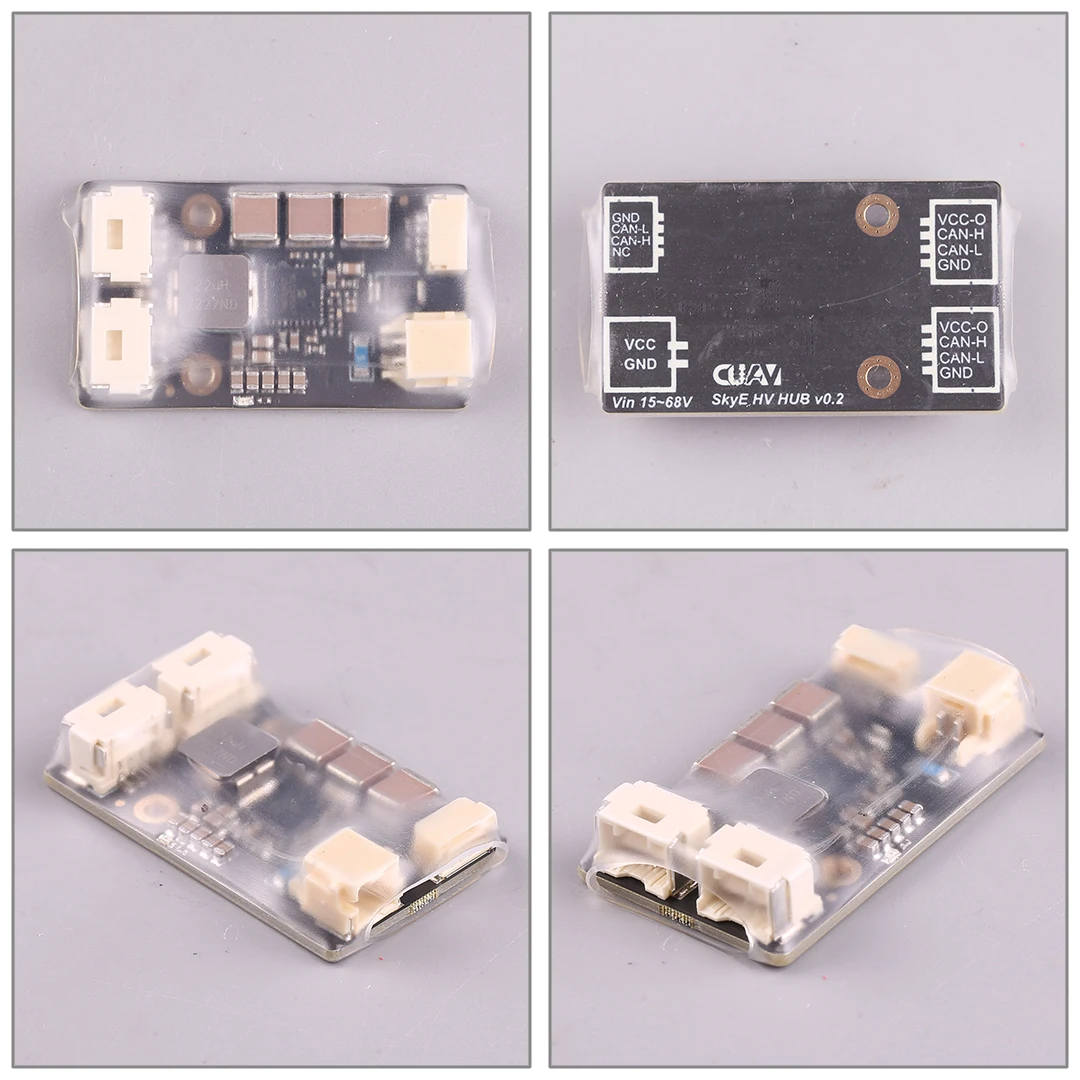 Pin Definition
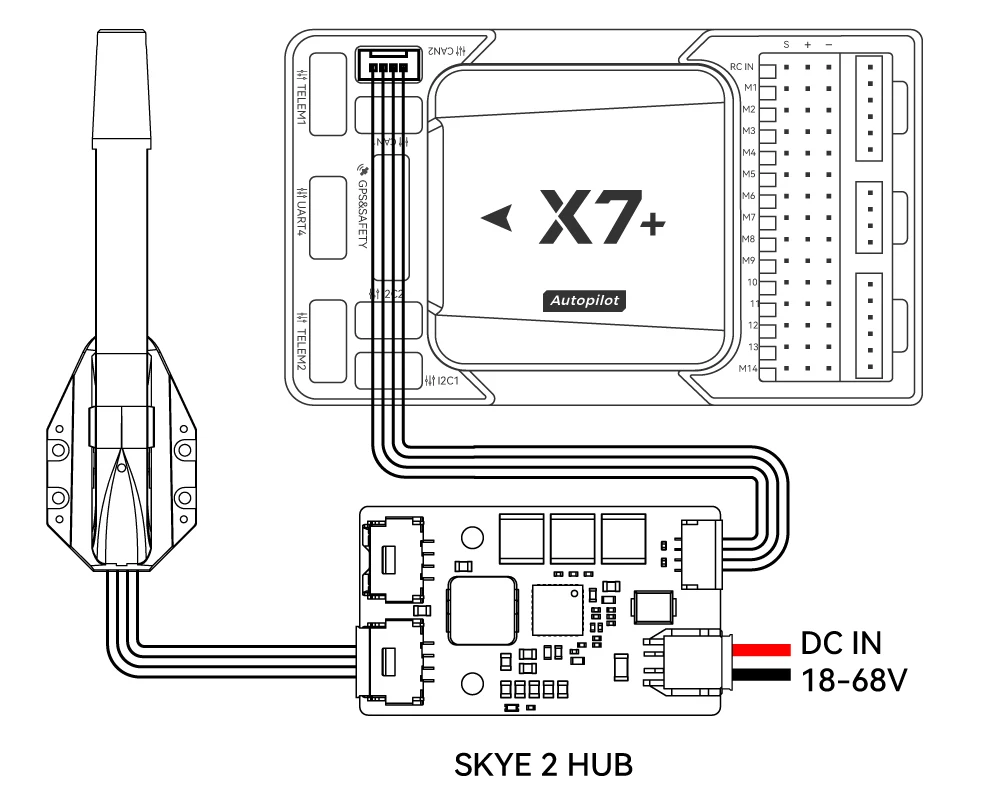
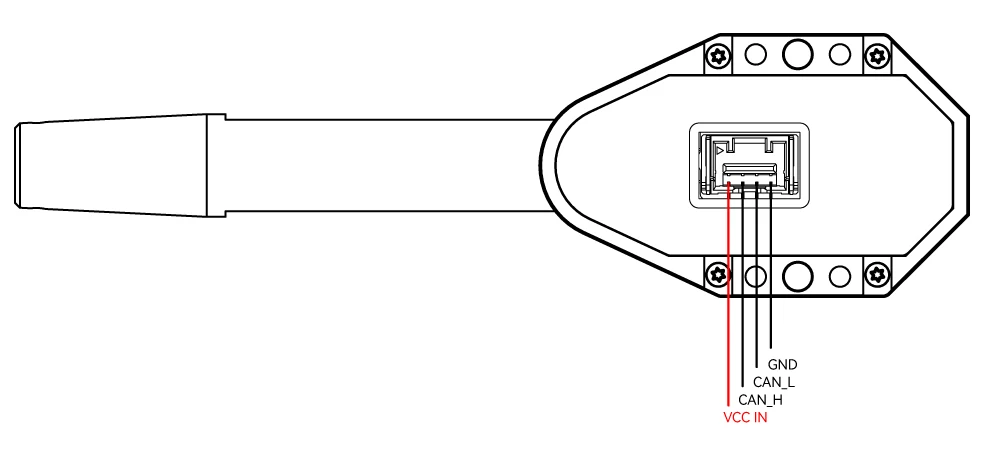 Hardware connection
SKYE2 is not compatible with SKYE HUB, please choose to use SKYE2HV HUB.
 Temperature and humidity data
Ardupilot firmware version 4.30 and above supports temperature and humidity meter data display:

Zero airspeed (calibrated airspeed offset)
When there is no wind and the airspeed display is greater than 33m/s, please reset the airspeed before takeoff
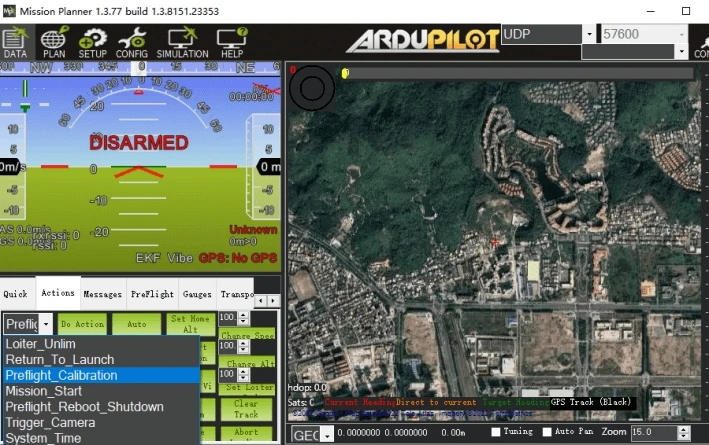
-Open the Mission planner software and connect to the flight controller
-Ensure that the current airspeed tube is in a windless environment
-Open Mission planner>Flight data>Action bar
-Select 'Preflight Calibration' 55 in the first checkbox; click the 'Execute Action' button on the right
 check
check
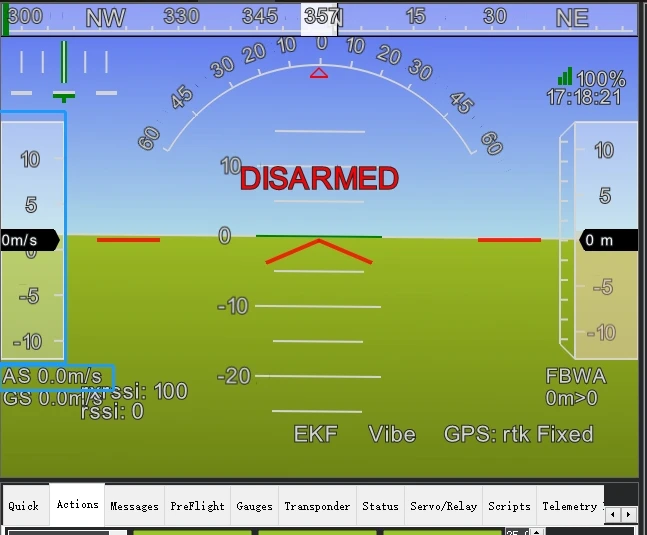
Before flying, please connect to the ground station to check if there is no wind and ensure that the airspeed value jumps within the range of 0-3m/s (if it exceeds the range, please reset the airspeed to zero)
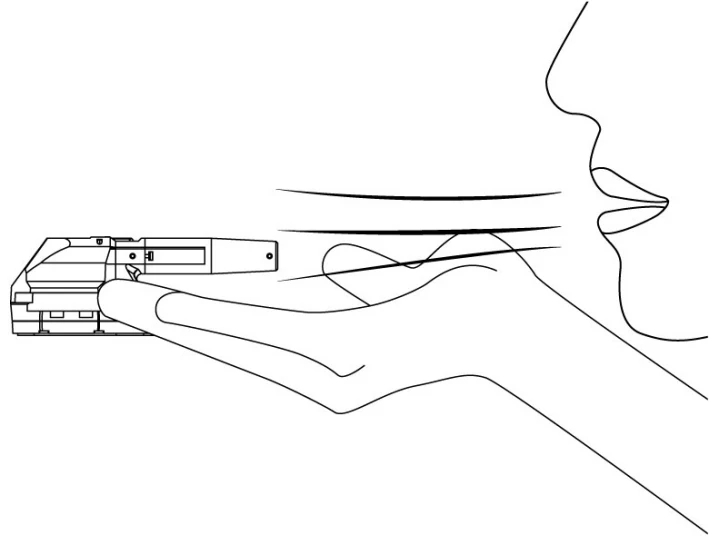
 Hold the airspeed tube with your hand, blow air into the airspeed tube, and check if the airspeed value can change according to the airflow velocity, indicating that the inspection is complete.
 Airspeed calibration
Different installations and individual airspeed ratios may vary, and airspeed calibration is required during the first flight; Set the flight controller parameter ARSPDAUTOCAL to 1 to enable automatic calibration execution (choose one of the following two methods)
1. Take off in QStabolize or QLoiter multi axis mode and switch to FBWA (self stabilizing A mode) to control the drone to fly and hover for about 5 circles. After the ground station message bar prompts calibration completion, execute the landing. If you do not know how to fly in FBWA mode, you can use the method of enabling airspeed indicator but not using airspeed indicator to fly (ARSPDUSE=1:: ARSPD-T)
YPE=8; Do not perform this operation in environments with high wind speeds; The aircraft will fly at ground speed (relative ground speed), and after takeoff, it will hover around 5 times in Loiter mode. The ground station message bar will indicate that calibration is complete before landing.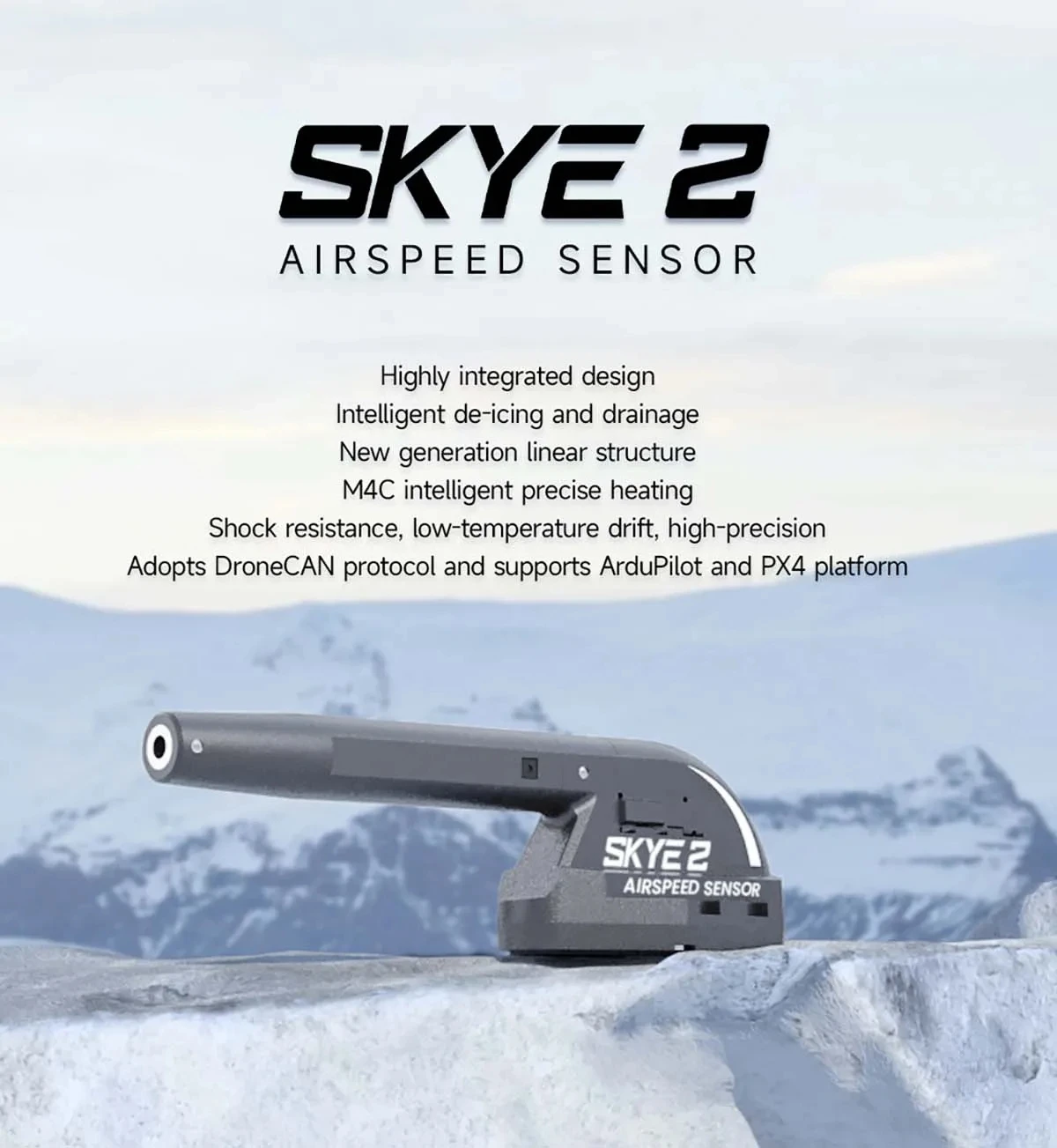
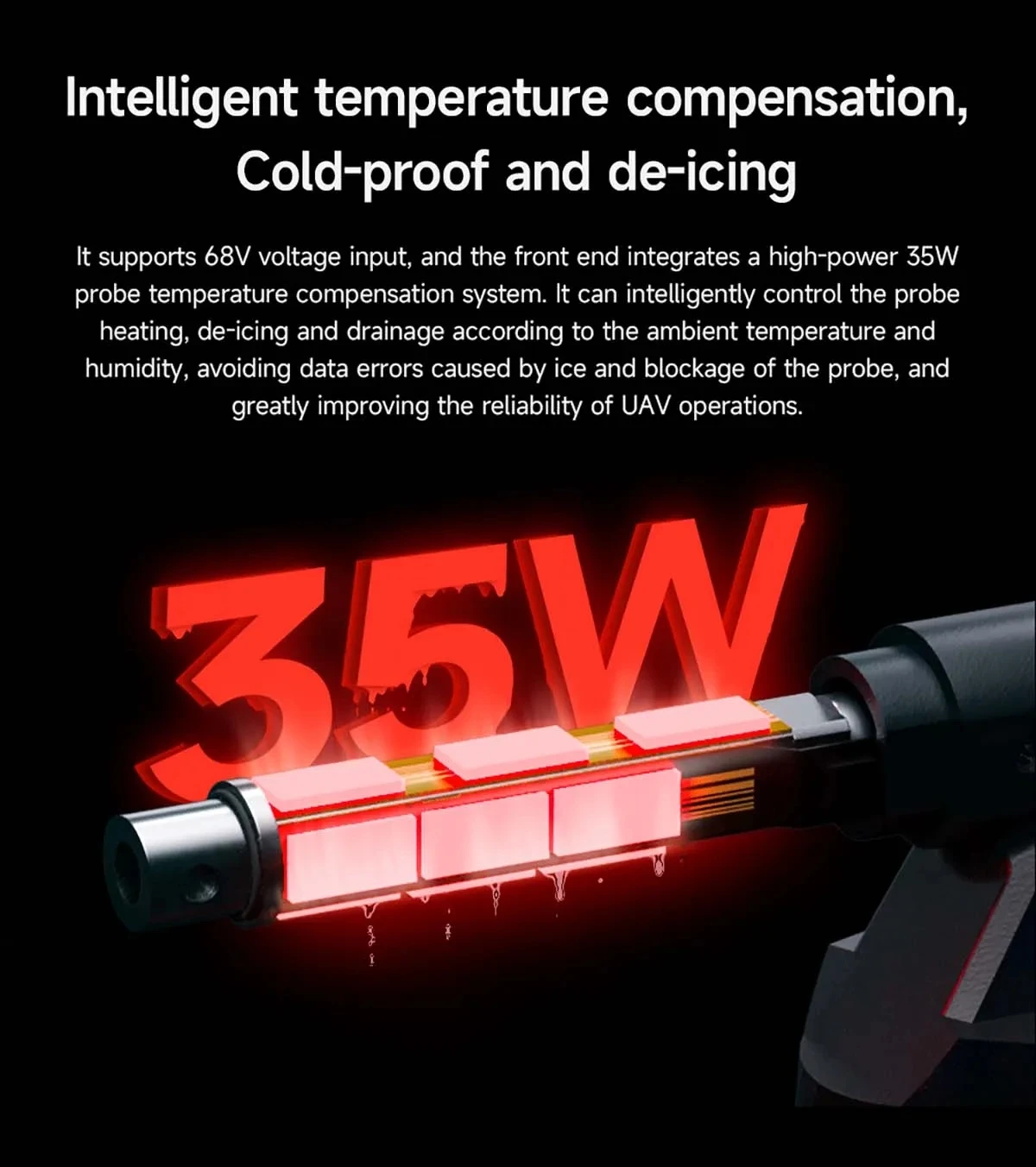
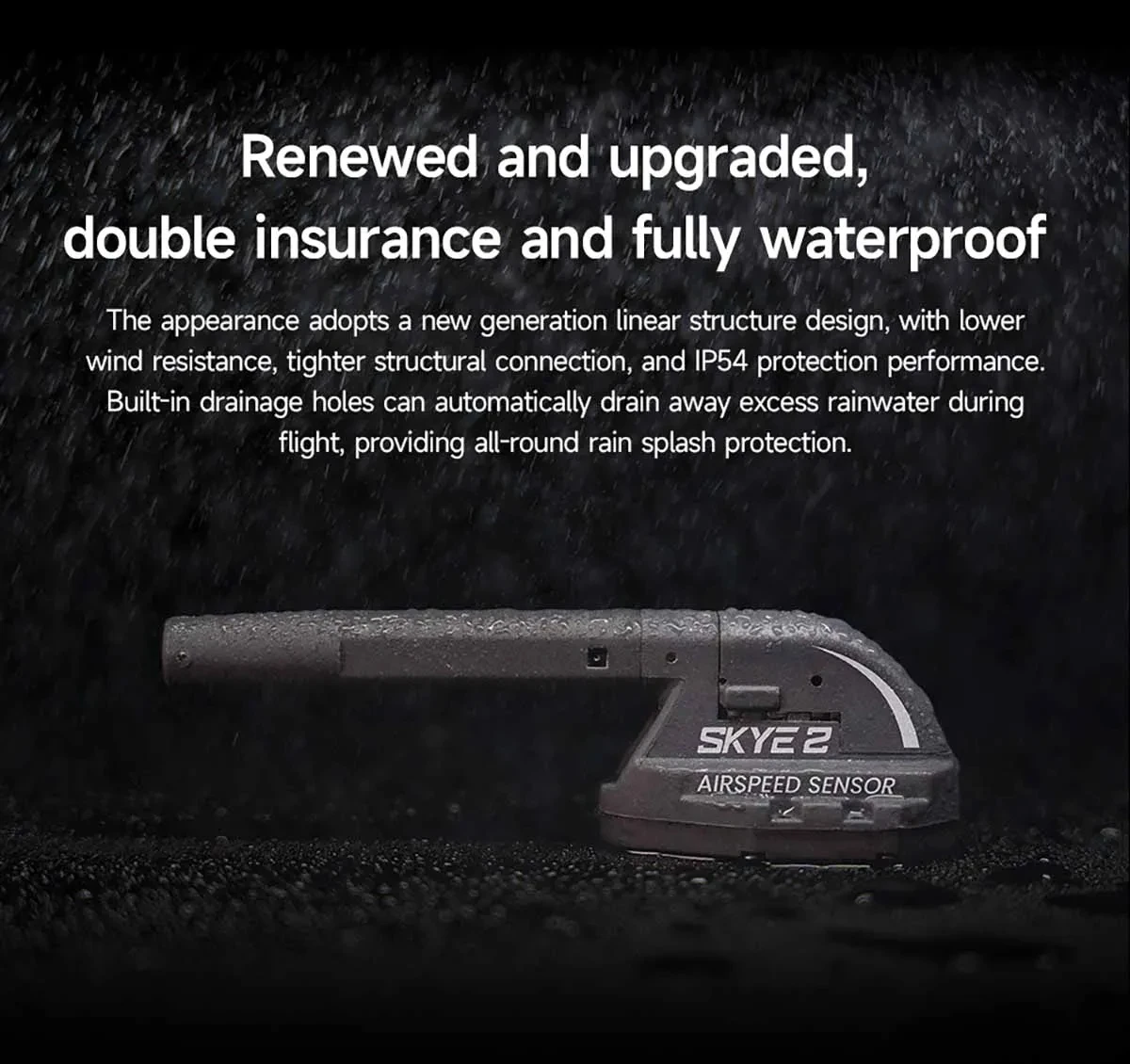
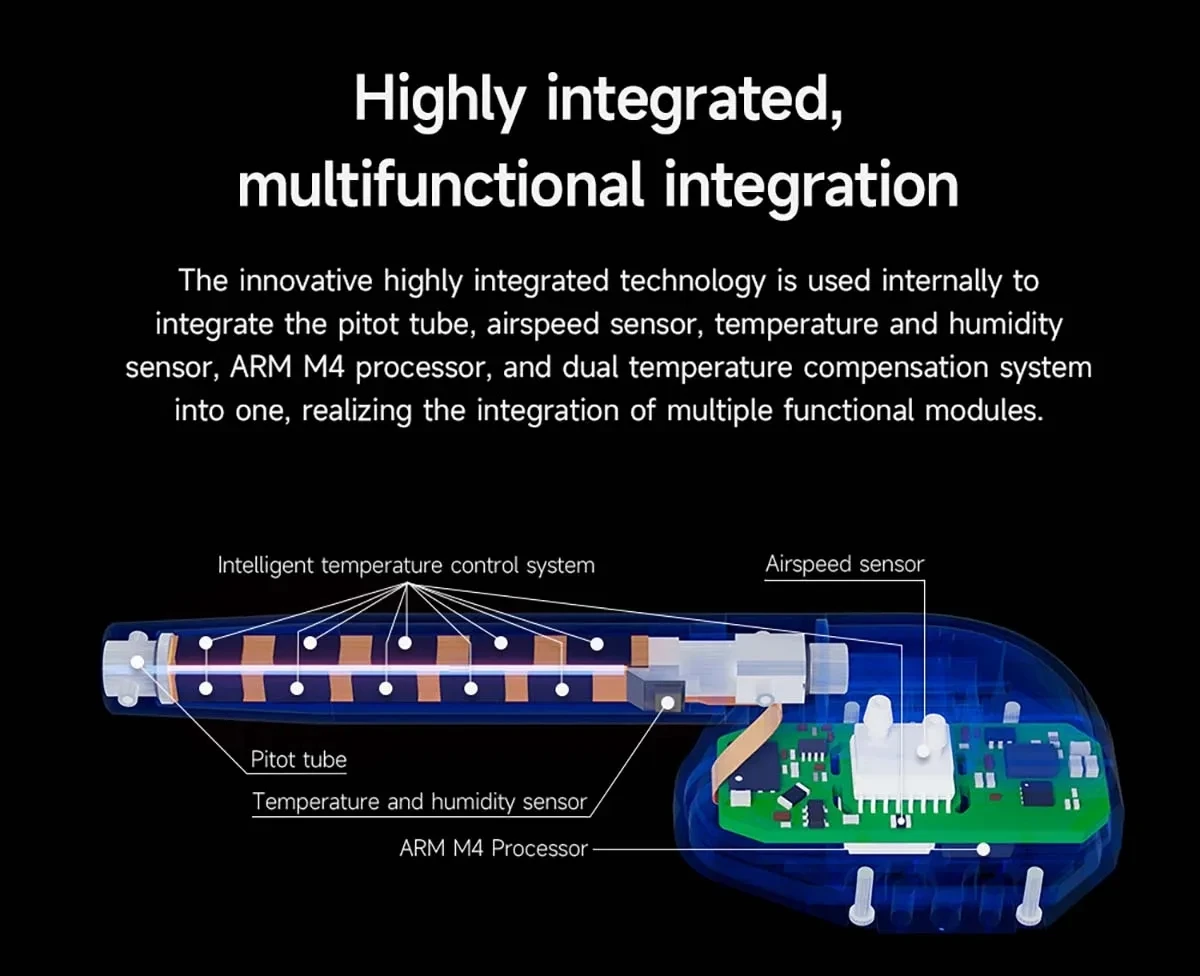
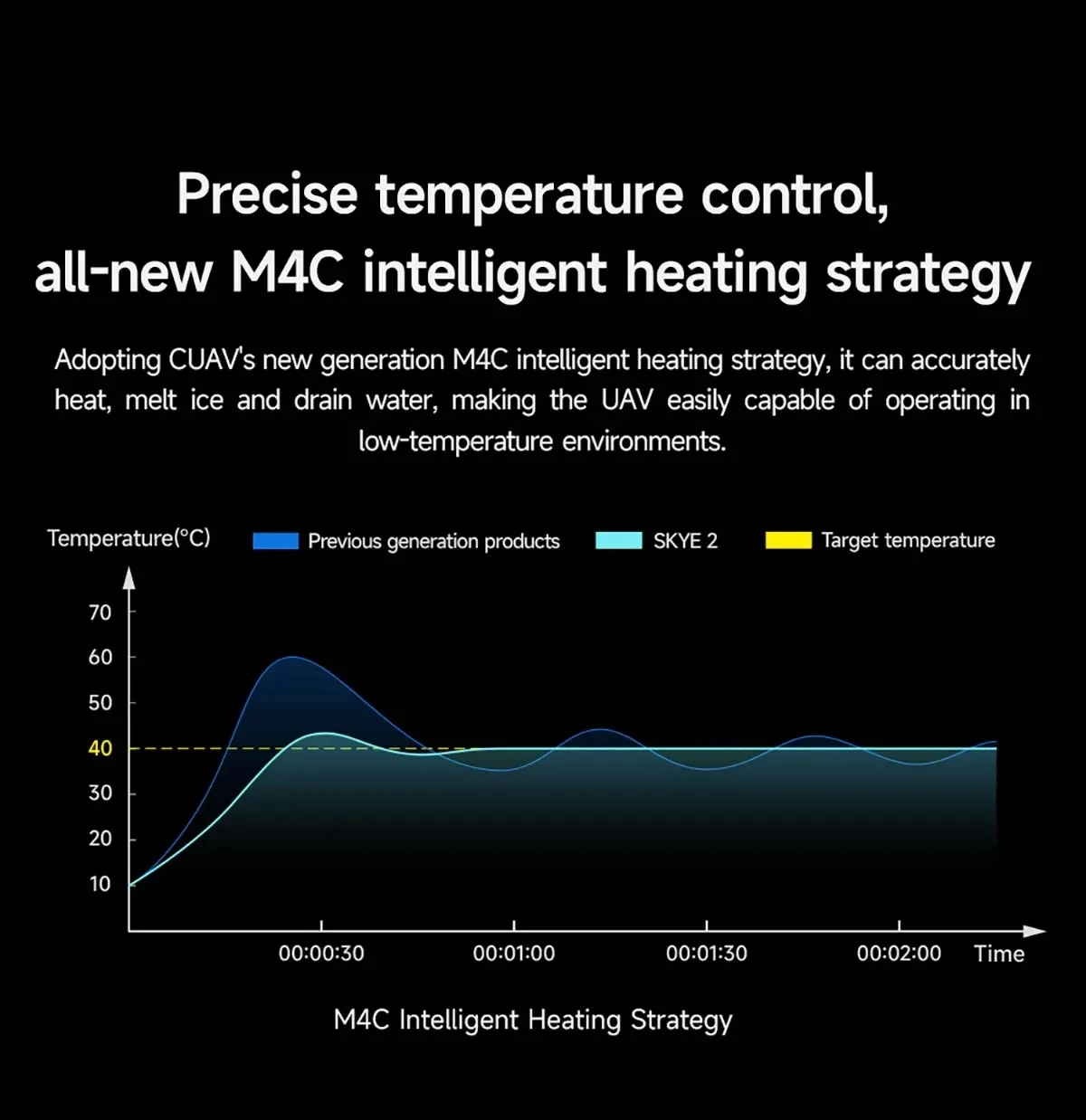

Flight Controller: CUAV SKYE 2 Airspeed Sensor
Upgrade Parts/Accessories: Supports ArduPilot and PX4 Flight Control
RC Parts & Accs: Assemblage for Four-wheel Drive Attributes
Quantity: 1 Unit per Package
Recommend Age: Suitable for Users 14 Years and Above
Tool Supplies: Assembled Class Remote Controller
**Precision and Efficiency**
The CUAV SKYE 2 Airspeed Sensor is an essential component for drone enthusiasts and professionals seeking to enhance their aerial experience. This precision-engineered device features a 3db bandwidth, specifically designed for the SKYE 2 drone, ensuring accurate airspeed readings for optimal flight control. Its compatibility with ArduPilot and PX4 flight control systems further solidifies its role as a versatile upgrade part. Whether you're assembling a four-wheel drive drone or upgrading your existing setup, the SKYE 2 Airspeed Sensor is your go-to accessory for precision and efficiency.
**Durable and Reliable**
Constructed with a focus on durability and reliability, the SKYE 2 Airspeed Sensor is crafted from high-quality composite materials, ensuring it can withstand the rigors of aerial adventures. Its absence of 105°C evaporated materials guarantees a safe and long-lasting performance. The sensor is designed for both hobbyists and professionals, making it an ideal choice for users aged 14 and above. With the SKYE 2 Airspeed Sensor, you can trust in its performance, knowing that it's been rigorously tested and built to last.
**Ease of Use and Integration**
The SKYE 2 Airspeed Sensor is engineered for ease of use and seamless integration with your drone setup. Its remote controller is assembled class, ensuring it's ready to use right out of the box. With no batteries included, you can easily power it through your drone's existing system, providing a hassle-free setup. The sensor's lightweight design and compact size make it an unobtrusive addition to your craft, allowing for uninterrupted flight and precise control. Whether you're a seasoned drone pilot or new to the hobby, the SKYE 2 Airspeed Sensor is the perfect tool to enhance your flying